toolsy

Language

Screenpipe

AI That Remembers Everything on Your Screen Free

AI memory for your screen — captures everything locally and makes it searchable and actionable.

v2.4.228
May 2026
WindowsmacOSLinuxFreeOpen Source

Most productivity tools help you create content, but nothing helps you remember what you already saw, typed, or heard. Rewind AI does this for macOS but costs $25 per month and keeps your data in their cloud. Microsoft Recall sparked controversy when announced as a Windows 11 feature that uploads screen data to Microsoft infrastructure.

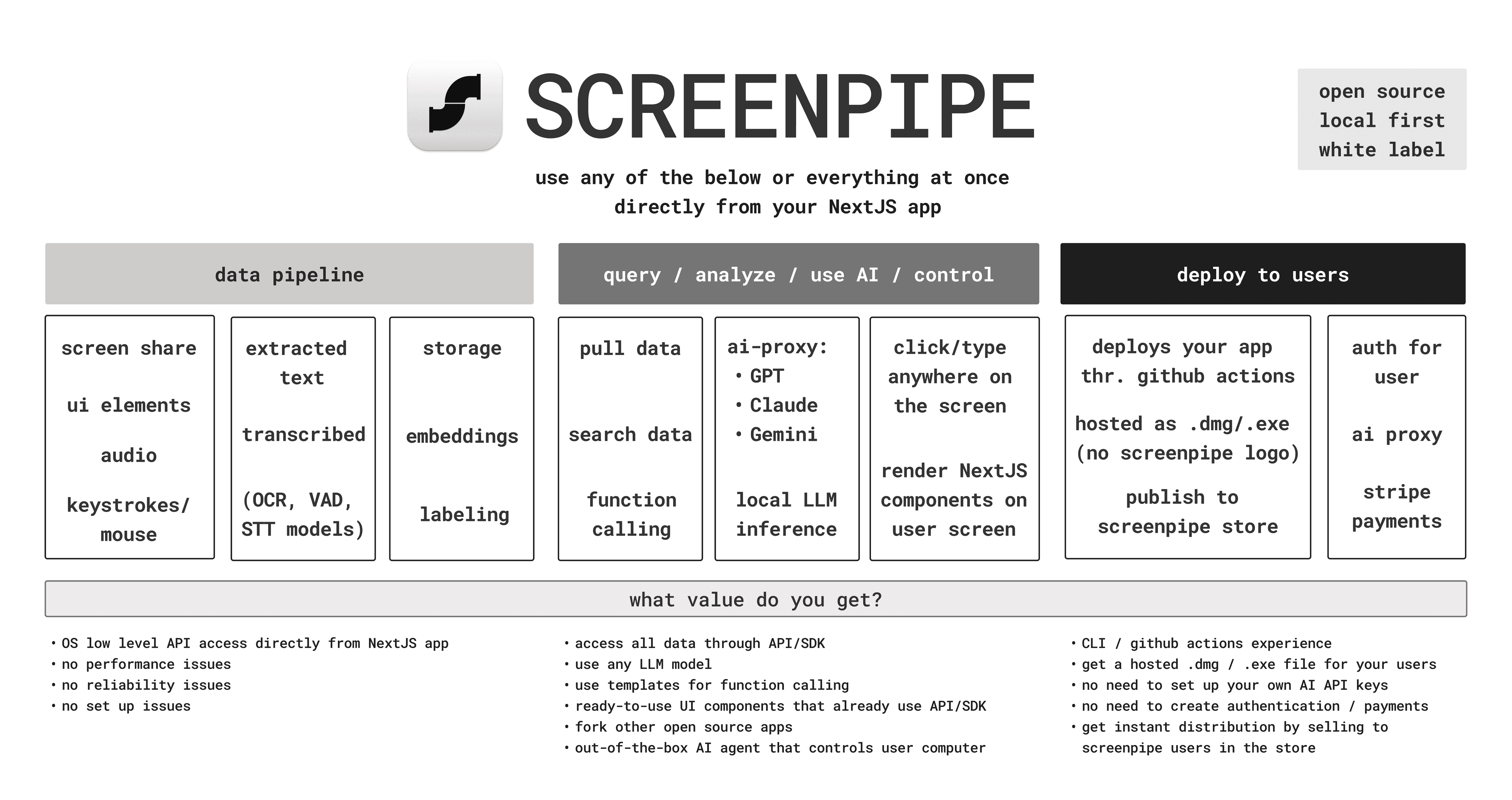
Screenpipe takes a different approach: it records your screen and audio continuously, stores everything locally on your device, and uses OCR and Whisper transcription to make the entire archive searchable through natural language queries. Ask it what you were doing at 2pm last Tuesday, which website you visited while researching a topic, or what someone said in a meeting — and it finds the answer from your own encrypted local data.

The real power comes through its plugin system, called Pipes. These are short automation scripts — written in JavaScript or defined in markdown — that run on a schedule and act on your captured data. You can build a Pipe that summarizes your daily activity, extracts key decisions from meeting transcriptions, or pushes action items to Notion or Slack automatically.

Screenpipe exposes an MCP server endpoint, making it natively compatible with Claude Desktop, Cursor, and any AI assistant that supports the Model Context Protocol. It also works with Ollama for fully local LLM inference — zero data leaving your machine. The entire stack is written in Rust for minimal CPU and memory overhead, with a TypeScript and JavaScript SDK for building custom integrations. MIT licensed and actively developed with over 18,000 GitHub stars.

Related Tools

  • Ollama — Run the local LLMs that Screenpipe queries to analyze your screen history without sending data to the cloud
  • Skyvern — Automate repetitive web tasks you spot in your Screenpipe history with AI-driven browser automation

FAQ

Is Screenpipe free?+
Screenpipe is open source under the MIT license and free to download and self-host. A one-time purchase of $89 unlocks additional managed cloud features and priority support, but local screen capture, OCR search, audio transcription, and the Pipe automation system are fully free.
How to make AI remember everything on my screen for free?+
Install Screenpipe from screenpi.pe, run it locally, and it will continuously capture your screen and audio. All data is stored on your device. You can then search your history with natural language, or connect it to Claude Desktop or Cursor via its built-in MCP server for AI-powered recall during conversations.
Best free alternative to Rewind AI?+
Screenpipe is the best free alternative to Rewind AI. Rewind AI costs $25/month and is macOS-only. Screenpipe is open source, free, runs on Windows, macOS, and Linux, stores all data locally, and supports Ollama for fully offline LLM inference. For privacy-conscious users, Screenpipe is the stronger choice.
Screenpipe vs Microsoft Recall — which is better?+
Microsoft Recall is built into Windows 11 Copilot+ PCs and shares screen data with Microsoft infrastructure despite opt-out options. Screenpipe is fully local — nothing leaves your machine unless you configure it to. Screenpipe also works on macOS and Linux, supports custom Pipe automations, and is open source so you can audit exactly what it records.